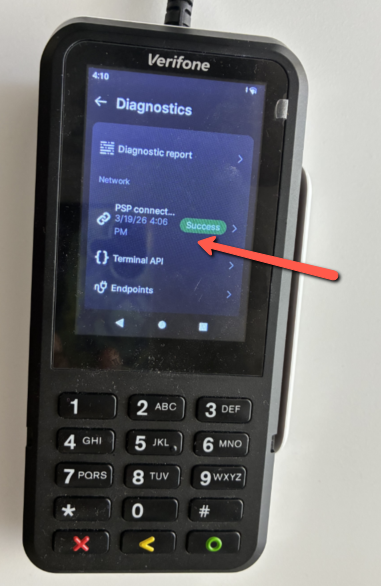
P630 - PSP Connection Test
Passcode - 0725
Related Articles
S300-A80 Troubleshoot Connection
Reconnecting PAX S300/A80 Verify that the PAX has power and is on the Google/Apple Pay screen Grab the serial number from the back of the PAX you are trying to connect From the register - Settings > Devices > Pin Pad Settings Enter in the serial ...Ping Test on PAX S300
The Ping Test is a quick and effective way to confirm whether the PAX S300 terminal is successfully connected to the internet. Follow the steps below to perform the test. Step-by-Step Instructions: Press the Menu option on the PAX unit’s screen. If ...PAX A35 (Credit/Debit Machine) Setup & Connection with Franpos Register
PAX A35 (Credit/Debit Machine) Setup & Connection with Franpos Register This article helps you learn how to setup PAX A35 with Franpos Register Please unbox and connect the Power Cable to PAX A35 . Power it ON. Please call Franpos Support at ...Network printer connection
Here are the steps to connect the network printer to the Franpos POS : 1. Turn off the printer. 2. Power the printer back on while holding down the Green FEED Button. 3. The printer will run a self-test after a few seconds. 4. After the self-test ...Auto-Connect Recovery PAX S300 (LAN Connection)
Auto-Connect Recovery PAX S300 (LAN Connection) We use this feature in order to secure a stable connection between POS Register and PAX S300 ( Credit/Debit Machine ) . The main ...